
Neovigie protects your frontline teams and raises the alarm automatically when something happens.
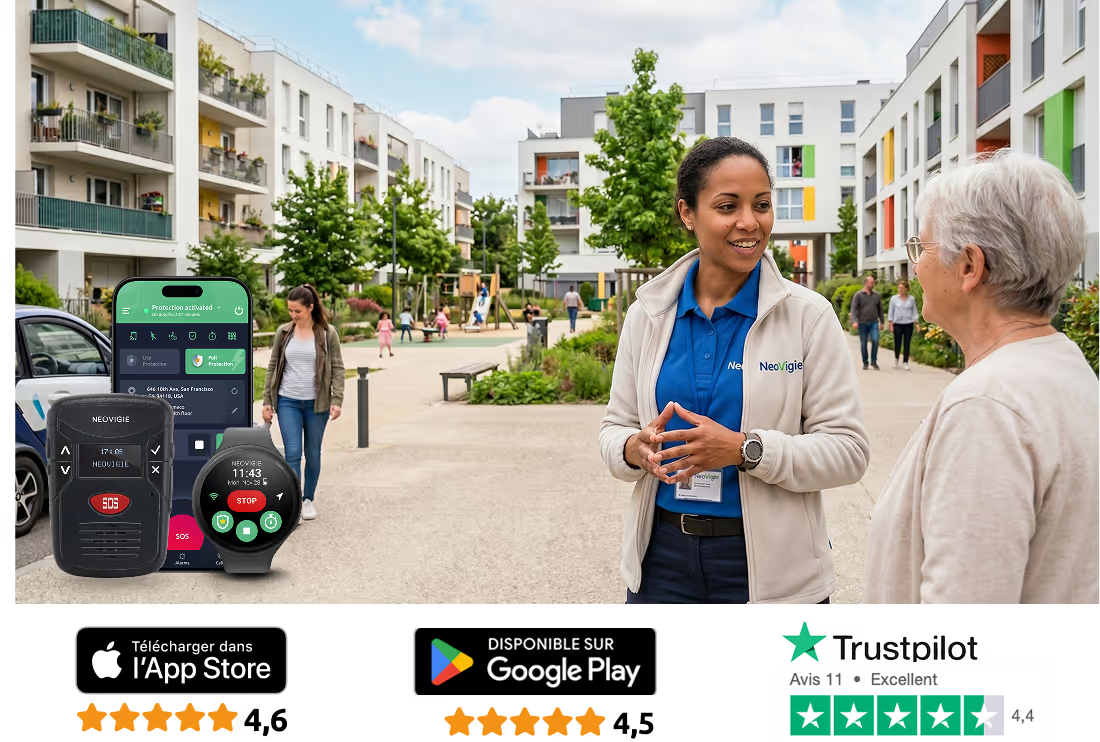


Damage to property, threats to people, illegal activity, communal areas taken over. Anti-social behaviour and disputes between neighbours regularly put your staff in harm's way.
A landlord is responsible for the safety of staff who enter tenanted properties and deal with the public face to face.
Illegal activity, violence, weapons: social housing can be a genuinely hostile place to work.
Landlords have to give tenants quiet enjoyment of their homes and keep communal areas safe to use, which means sending staff into them.
Some of the places staff have to go have no mobile signal at all: basements, garages, lift shafts.
AI-based detection raises an immediate alert if the officer falls, on any estate in the area.
Working alone is a serious risk if someone is taken ill. No-movement detection and the Lifeline check-in raise an alarm after prolonged inactivity.
Officers go out alone to deal with repairs, anti-social behaviour and damage in communal areas, where verbal abuse and physical violence are a real possibility.
Maintaining social housing sometimes means handling chemicals. After harmful exposure, raising the alarm on a Neovigie device takes almost nothing.
Protect staff working alone on difficult estates and in enclosed spaces,
with a lone working solution that is reliable and quick to roll out.
Falls, sudden illness, assault, no movement: the alarm is raised even when the officer has lost consciousness.

.p.avif)
Pinpoint the officer by building and by zone, so nobody loses time getting to them.
The device switches on by itself at the start of the shift: immediate protection, no technical training, and nothing for the officer to forget.

No more complicated kit that ends up in a drawer. Here are the six things that make Neovigie the reference for protecting teams out on the estates.
.png)
The Neovigie algorithm picks out the real alarms and leaves your teams to work, without a device going off all day.
.png)
Location comes on at the exact moment an alarm fires, to guide the response. It stays switched off the rest of the time.
.png)
Our server takes over when the phone can no longer connect: if an officer does not confirm they are out of the dead zone within the agreed time, the alarm is raised automatically.
.png)
A clear interface, a simple rollout and reporting you can read: usable day to day without technical expertise.
.png)
The Neovigie range covers every role and every kind of site, as one coherent system from the smartphone to the satellite beacon.
.png)
Alarms can be handled straight from the app, so the response starts sooner.
Raise the alarm, locate the officer, get help to them. Neovigie's safety functions fire automatically or manually, so the response is never delayed.

Our AI-based fall detection cuts false alarms and gets help moving sooner for people working alone.

Protection switches on according to the work schedule, so your teams are covered whatever time the visit is booked for.

Enrol devices by SMS and activate in one tap, with no password. Simple, quick and secure.

SOS alerts go out instantly across every channel available: SMS, phone call, email, push notification.

A setup matched to the job even where there is no mobile signal: Lifeline check-ins, or a satellite connection for the highest-risk visits.

Locating staff inside housing blocks means the response reaches the right floor and the right flat, not just the right address.

Reporting shows how your teams are actually using the system in the field, so you can target where safety needs work.

Supervise alarms yourself on our platform, or hand them to a Securitas monitoring centre 24/7.

Call the officer directly on their device without them having to answer, judge whether the situation is real, and send people out only when it counts.
Large international companies such as L'Oréal have already chosen Neovigie to equip their people. With Neovigie, L'Oréal protects staff working in very different conditions, in particular night shifts, weekends and the remote corners of its plants.
What Neovigie brings to L'Oréal:
Protection that holds up:
With Neovigie, L'Oréal has tightened its safety procedures and can be confident of a fast response in an emergency.
Let's build a safer place to work, together.


On iOS and Android smartphones. Ideal where staff already carry a phone, with no extra hardware to buy.
Learn more

Discreet to wear, with full protection. Available on the Google Play Store and installs on any Android watch.
Learn more

For areas with no mobile coverage. The satellite unit works on its own or alongside the mobile app for more functionality.
Learn more

A rugged dedicated unit, made in France, running on 3G and 4G networks for cases where using a phone is impractical or not allowed.
Learn more
A Neovigie specialist answers your questions

Expert in Lone Worker technical solutions
.png)
Benoît Pauillac is in charge of customer support at Neovigie. An expert in lone worker solutions, he supports companies in optimizing the protection of their workers, by ensuring responsive monitoring and an optimal user experience.
“Above all, good support is attentive listening and a quick response.”


