
Protection starts on its own, and the right alarm procedure applies at the right time. No more missed check-ins that leave a worker unprotected.
The technology works. The problem sits somewhere else: one skipped step at the start or end of a shift, and the whole protection chain collapses.
They arrive on site, get to work, and their protection service is never switched on. They're not covered, and nobody knows until something goes wrong.
The result: false alarms at the end of the day, no-movement detected in a car or at home, and supervisors who eventually stop paying attention.
An alarm at night or on a holiday shouldn't follow the same escalation chain as one during business hours. Reconfiguring that by hand, every day, rarely happens.
As long as protection depends on a manual step, the risk of forgetting stays. Automation removes that point of fragility.
Three scenarios health & safety managers set up most often.
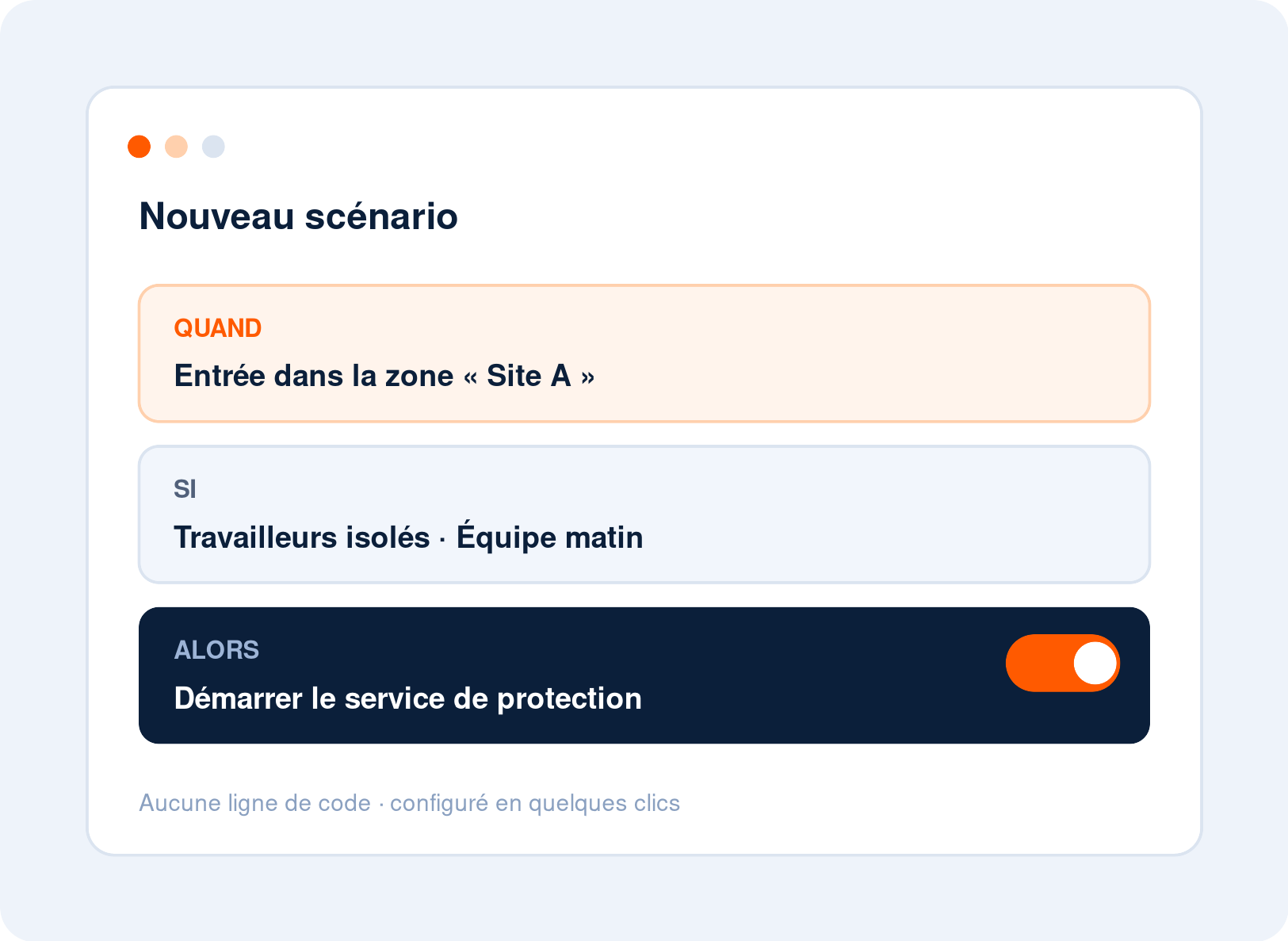
When a worker enters the site, protection turns on; when they leave, it stops. No forgotten worker, and no false alarms at the end of the day.
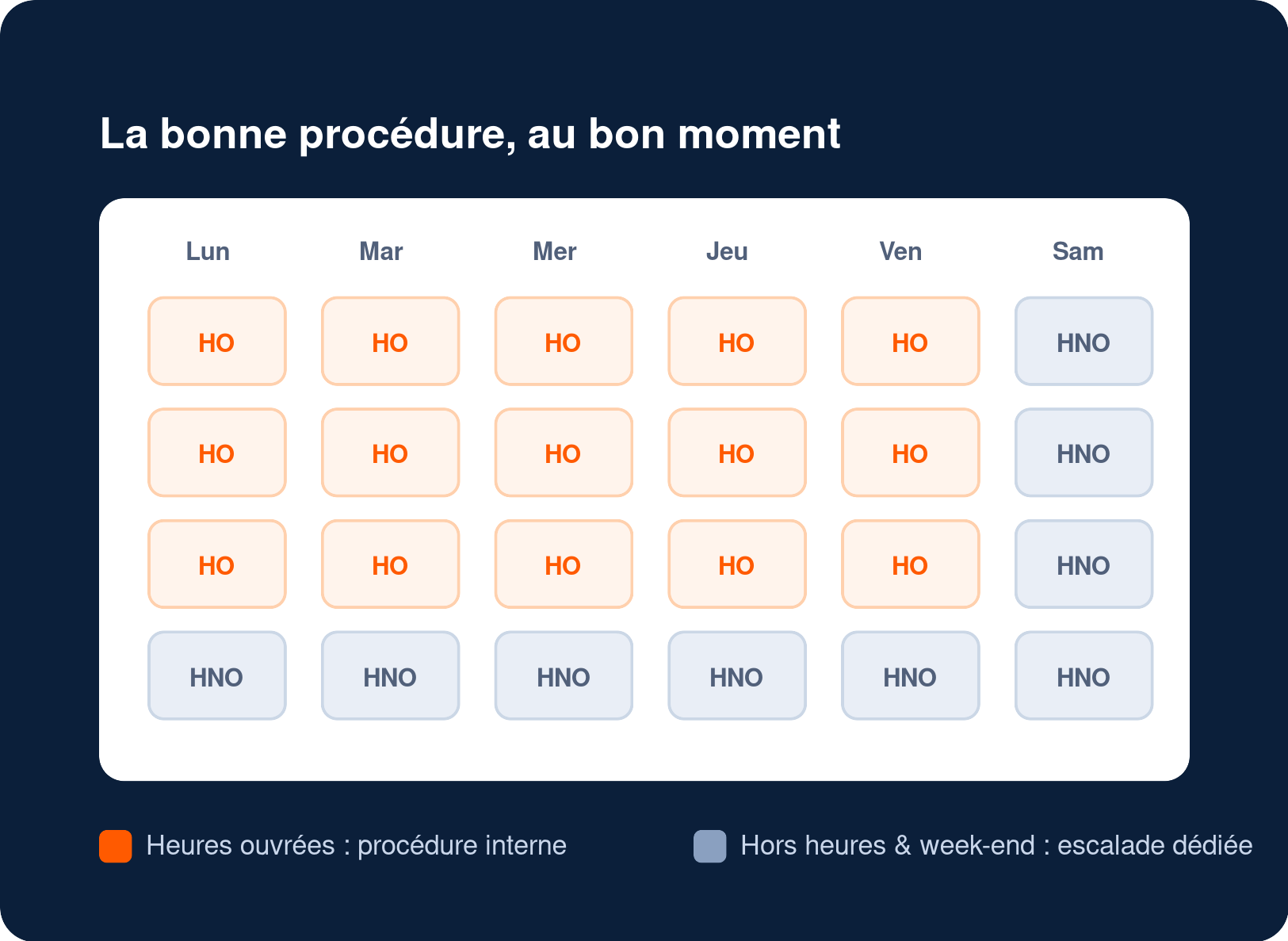
Business-hours procedure during the day, a different escalation in the evening and on holidays. The right scenario applies with no reconfiguration.
Entering a zone or scanning a VigiePoint starts a mission; leaving it closes the mission. Activity tracking no longer depends on a manual step.
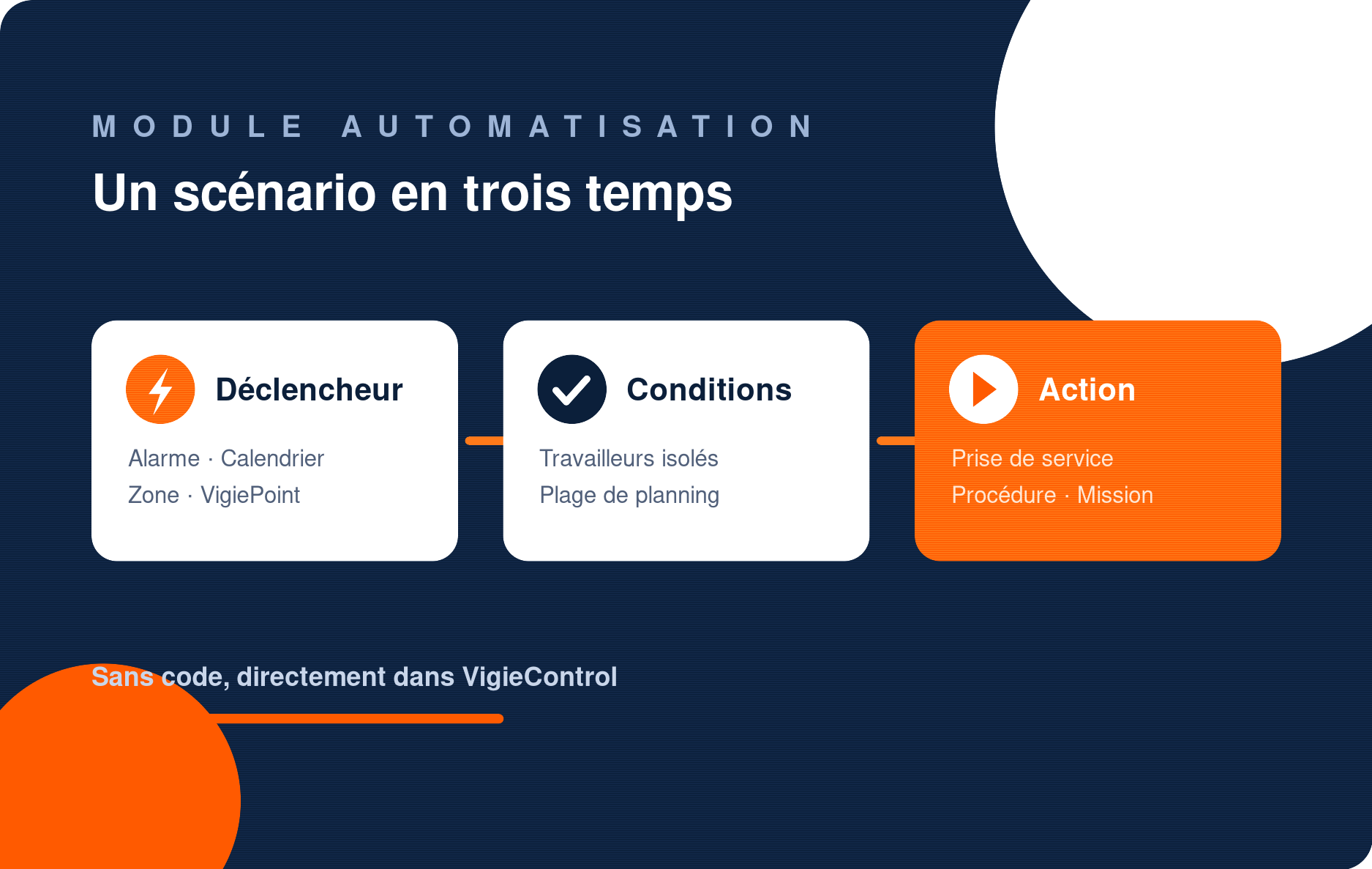
The combinations adapt to the trigger you choose. Not everything is freely combinable, and that's exactly what makes each scenario predictable and reliable.
Le Code du travail impose à l'employeur une obligation de sécurité envers ses salariés isolés. C'est une obligation de résultat : un dispositif acheté mais jamais activé ne protège personne. En fiabilisant l'activation de la protection et en traçant chaque exécution des scénarios calendaires, l'automatisation aide à démontrer que le dispositif est réellement en service. Pour le cadre légal complet, consultez notre page réglementation du travailleur isolé.
Un expert Neovigie répond à vos questions !

Expert in Lone Worker technical solutions
.png)
Benoît Pauillac is in charge of customer support at Neovigie. An expert in lone worker solutions, he supports companies in optimizing the protection of their workers, by ensuring responsive monitoring and an optimal user experience.
“Above all, good support is attentive listening and a quick response.”

It's a scenario engine built into Neovigie's monitoring platform. It automatically triggers a protection action (shift start, alarm procedure switch, mission start) from an event: an alarm, a schedule, entering or leaving a zone, or detecting a checkpoint.
It's a scenario engine built into Neovigie's monitoring platform. It automatically triggers a protection action (shift start, alarm procedure switch, mission start) from an event: an alarm, a schedule, entering or leaving a zone, or detecting a checkpoint.
Each scenario follows a sequence: a trigger, optional conditions, then an action. You choose these directly in VigieControl, without writing any code. The available conditions and actions adapt automatically to the trigger you select.
Each scenario follows a sequence: a trigger, optional conditions, then an action. You choose these directly in VigieControl, without writing any code. The available conditions and actions adapt automatically to the trigger you select.
Yes. With a zone-entry trigger or a calendar, the protection service turns on automatically and turns off on exit or at the end of the window. On iPhone, an Apple limitation prevents fully automatic start: the worker receives a reminder notification to confirm instead.
Yes. With a zone-entry trigger or a calendar, the protection service turns on automatically and turns off on exit or at the end of the window. On iPhone, an Apple limitation prevents fully automatic start: the worker receives a reminder notification to confirm instead.
Yes, it's one of the most common uses. A calendar scenario applies the 'business hours' procedure during the day and switches to a different escalation chain in the evening or on holidays, with no manual reconfiguration.
Yes, it's one of the most common uses. A calendar scenario applies the 'business hours' procedure during the day and switches to a different escalation chain in the evening or on holidays, with no manual reconfiguration.
No. Setup happens in the VigieControl admin interface, designed for non-technical users. Neovigie recommends testing each scenario on a small group of lone workers before rolling it out to the whole team.
No. Setup happens in the VigieControl admin interface, designed for non-technical users. Neovigie recommends testing each scenario on a small group of lone workers before rolling it out to the whole team.
An incoming alarm, a recurring calendar (with date handling and exceptions), entering or leaving a geographic zone, and detecting a VigiePoint (NFC, Bluetooth or radio beacon). The available actions depend on the trigger you choose.
An incoming alarm, a recurring calendar (with date handling and exceptions), entering or leaving a geographic zone, and detecting a VigiePoint (NFC, Bluetooth or radio beacon). The available actions depend on the trigger you choose.


